The Absolute Beginner’s Guide to AI Image Generation: A Step-by-Step Tutorial
Unleashing the Artist Within You: A Zero-to-Image Guide
For decades, the idea of typing a sentence and watching a high-quality image materialize was the stuff of science fiction. Today, that is the core reality of generative Artificial Intelligence (AI). Tools like OpenAI’s DALL-E 3, Midjourney, and Adobe Firefly have democratized digital art, giving anyone, regardless of drawing skill, the power to create stunning visuals.
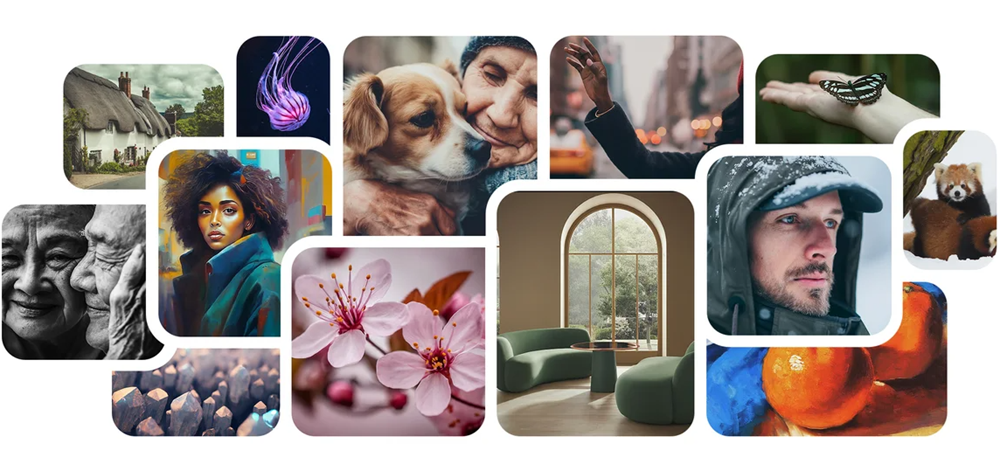
If you’ve been intimidated by complex controls or vague instructions, this guide is for you. We’re going to walk through the easiest path to your first masterpiece, focusing on simplicity and getting results fast.
Step 1: Choosing and Accessing Your Beginner Tool
While Midjourney is famous for its cinematic quality, the easiest tool for an absolute beginner is DALL-E 3, largely because of its seamless integration into user-friendly interfaces like Microsoft Designer or ChatGPT (Plus). For this tutorial, we will use the highly accessible DALL-E 3 experience.
Action: Go to a platform that uses DALL-E 3 (e.g., Microsoft Designer or Bing Image Creator) and sign in with your account. You now have a blank canvas, a text box, waiting for your imagination.
Step 2: The Core Command: The /Imagine Moment
In the world of AI art, the instruction you give the machine is called a prompt. The goal is simple: tell the AI exactly what you want it to draw.
Most AI tools use a core command to initiate generation. For DALL-E 3 and similar platforms, you simply start typing. For Midjourney, you type /imagine followed by your request.
Action: In the prompt box, type your first basic idea. Keep it short for now.
- Example Prompt 1 (Simple):
A friendly space robot waving. - Example Prompt 2 (Simple):
A golden retriever wearing a crown in a field of sunflowers.
Step 3: Mastering the Art of the Prompt Formula
The difference between a good image and a truly stunning one lies in the details of the prompt. Instead of just stating the subject, a successful prompt describes the entire scene.
Think of your prompt in three parts:
| Element | Purpose | Example Keywords |
|---|---|---|
| 1. The Subject | What is the main focus? | A red panda, an ancient lighthouse, a futuristic car. |
| 2. The Style / Medium | What kind of art is it? | Digital painting, photo-realistic, cinematic lighting, watercolor, 3D render. |
| 3. Details & Composition | Where is it, what is the mood, and how is it shot? | Foggy forest, warm sunset light, macro shot, symmetrical composition, tilt-shift lens. |
The Professional Prompt Formula: $$\text{SUBJECT} + \text{STYLE} + \text{DETAILS} = \text{Stunning AI Art}$$
Action: Apply the formula to transform your simple idea:
- Simple Prompt:
A cat reading a book. - Formula-Driven Prompt:
A fluffy ginger cat wearing tiny reading glasses, sitting by a fireplace with an open book, professional studio lighting, hyper-realistic photography.
Step 4: Refine, Regenerate, and Iterate
The first image an AI generates is rarely the final one. AI image generation is an iterative process. When you get the first set of results (most tools provide 4 options), you have three common ways to proceed:
- Upscale (U buttons): Choose the image you like best and ask the AI to make a high-resolution version (often labeled ‘U1’, ‘U2’, etc., in Midjourney).
- Vary (V buttons): Ask the AI to create new versions of a specific image, keeping the overall composition and style but tweaking the details (often labeled ‘V1’, ‘V2’, etc.).
- Rerun: Change your original text prompt to be more specific or to adjust the style, and generate a completely new set of images.
Action: If your first attempt isn’t perfect, don’t worry. Tweak one word at a time. Change “digital painting” to “ink sketch” or “warm lighting” to “dramatic, moody lighting.”
Step 5: Download and Share Your Creation
Once you have an image you love, use the designated button (usually a Download or Save icon) to save the high-resolution file. Congratulations—you’ve generated your first piece of AI-driven art!
Your Prompt Engineering Starter Kit
| Goal | Keyword to Include |
|---|---|
| Photo Realism | Photorealistic, 8K, high detail, cinematic lighting, f/1.8 aperture |
| Illustration | Vector graphic, flat illustration, watercolor, concept art, Ghibli style |
| Specific Mood | Ethereal, moody, cyberpunk neon glow, warm golden hour, dark fantasy |
| Composition | Wide shot, macro shot, symmetrical, dramatic perspective, low angle |
| Avoid Flaws | (Use for advanced tools) —no text, —no blurry, —no watermark |
The key takeaway for any beginner is that AI is a collaborator, not a mind-reader. The more specific, descriptive, and detailed you are, the better the tool can translate your vision into reality. Start simple, then build the complexity.
About The Author